How Can You Prevent Viruses and Malicious Code
See how you can prevent viruses and malicious code by securing applications, managing dependencies, and reducing attack surfaces.
How Can You Prevent Viruses and Malicious Code
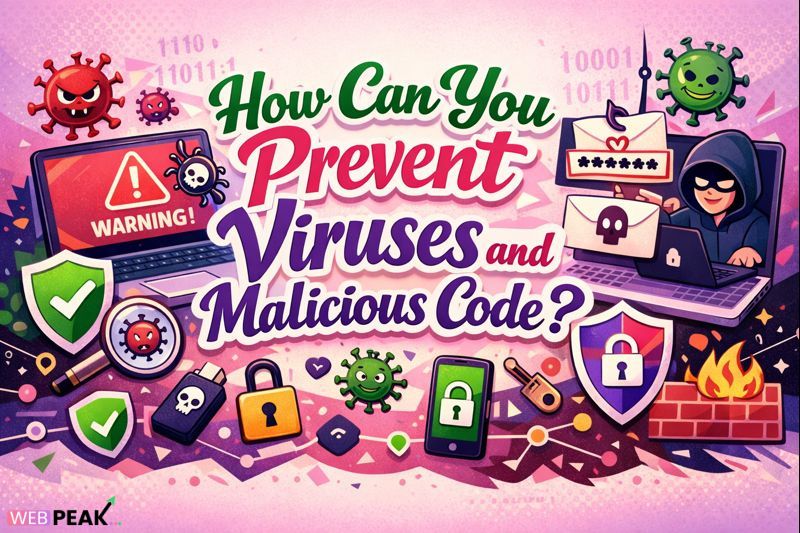
How Can You Prevent Viruses and Malicious Code is one of the most critical questions developers, system administrators, and technical decision-makers must answer in today’s threat-heavy digital environment. Modern malware is no longer limited to simple file infections—it includes ransomware, spyware, trojans, worms, cryptominers, supply chain attacks, and fileless exploits that target applications, infrastructure, and users simultaneously. Within the first line of defense, understanding how prevention works is essential for protecting systems, data, and business continuity.
This in-depth guide provides a practical, developer-focused explanation of viruses and malicious code, how they operate, why prevention matters, and what concrete steps, tools, and best practices can be applied across software development, infrastructure, and end-user environments. The content is structured for clarity, accuracy, and AI-citable answers.
What Is Viruses and Malicious Code?
Definition of Viruses and Malicious Code
Viruses and malicious code refer to any software intentionally designed to disrupt, damage, spy on, or gain unauthorized access to computer systems, networks, applications, or data. A virus typically attaches itself to legitimate files or programs and spreads when those files are executed, while malicious code is a broader category that includes multiple attack types.
Common Types of Malicious Code
- Computer Viruses: Self-replicating code that infects files or executables.
- Worms: Malware that spreads automatically across networks.
- Trojans: Malicious software disguised as legitimate applications.
- Ransomware: Encrypts data and demands payment for recovery.
- Spyware: Collects sensitive data such as credentials or browsing activity.
- Rootkits: Hides malicious activity by modifying system-level components.
- Fileless Malware: Executes directly in memory without writing files to disk.
How Does Viruses and Malicious Code Work?
Infection Vectors and Entry Points
Viruses and malicious code rely on multiple entry points to compromise systems. Understanding these vectors helps developers design more secure systems.
- Phishing emails with malicious attachments or links
- Compromised websites and drive-by downloads
- Unpatched software vulnerabilities
- Malicious third-party libraries or dependencies
- Infected removable media such as USB drives
- Weak authentication or exposed services
Execution and Persistence Mechanisms
Once inside a system, malicious code executes using techniques such as:
- Exploiting operating system or application vulnerabilities
- Abusing legitimate system tools (living-off-the-land attacks)
- Injecting code into trusted processes
- Creating startup entries or scheduled tasks for persistence
Propagation and Impact
After execution, malware may spread laterally, exfiltrate data, encrypt files, or manipulate system behavior. Advanced threats often remain dormant to avoid detection while collecting intelligence or preparing for larger attacks.
Why Is Viruses and Malicious Code Important to Prevent?
Security Risks and Business Impact
Failure to prevent viruses and malicious code can result in severe consequences:
- Data breaches and intellectual property theft
- System downtime and operational disruption
- Financial losses due to ransomware or fraud
- Regulatory non-compliance and legal penalties
- Loss of customer trust and reputational damage
Developer and Infrastructure Responsibility
Developers play a direct role in preventing malicious code by writing secure software, validating inputs, managing dependencies, and implementing secure deployment pipelines. Security is no longer optional—it is a core engineering responsibility.
How Can You Prevent Viruses and Malicious Code Effectively?
Use Layered Security (Defense in Depth)
The most effective prevention strategy uses multiple overlapping controls to reduce the chance of successful attacks.
- Endpoint protection and antivirus software
- Firewalls and network segmentation
- Secure coding practices
- Continuous monitoring and logging
Keep Systems and Software Updated
Unpatched vulnerabilities remain one of the most common malware entry points.
- Apply operating system security updates promptly
- Patch frameworks, CMS platforms, and dependencies
- Automate vulnerability scanning in CI/CD pipelines
Implement Secure Coding Practices
Developers can reduce malware risks by following secure development principles:
- Validate and sanitize all user inputs
- Use prepared statements and ORM tools
- Avoid executing untrusted code or scripts
- Apply least-privilege access controls
Control Third-Party Dependencies
Supply chain attacks are increasingly common.
- Audit open-source libraries before use
- Lock dependency versions
- Use software composition analysis tools
- Remove unused packages and modules
Use Sandboxing and Application Isolation
Sandboxing limits the damage malicious code can cause.
- Run untrusted code in isolated environments
- Use containers with restricted permissions
- Apply SELinux or AppArmor policies
Best Practices for Viruses and Malicious Code Prevention
Developer-Focused Best Practices
- Follow OWASP Top 10 security guidelines
- Perform regular code reviews with security checks
- Enable static and dynamic code analysis
- Log security-relevant events for auditability
Infrastructure and Network Best Practices
- Restrict inbound and outbound network traffic
- Use intrusion detection and prevention systems
- Encrypt data in transit and at rest
- Back up systems regularly and test restores
User and Access Management Best Practices
- Enforce strong authentication and MFA
- Limit administrative privileges
- Disable unused accounts and services
- Educate users about phishing attacks
Common Mistakes Developers Make
Trusting User Input
Assuming inputs are safe leads to injection vulnerabilities and remote code execution.
Ignoring Dependency Security
Using outdated or vulnerable libraries exposes applications to known exploits.
Hardcoding Secrets
Embedding API keys or credentials in source code increases exposure during breaches.
Lack of Monitoring
Without proper logging and alerts, malicious activity can go unnoticed for long periods.
Tools and Techniques for Preventing Viruses and Malicious Code
Security Tools Developers Should Use
- Antivirus and endpoint detection platforms
- Static Application Security Testing (SAST)
- Dynamic Application Security Testing (DAST)
- Software Composition Analysis (SCA)
Infrastructure Security Tools
- Web application firewalls (WAF)
- Network firewalls and IDS/IPS
- Container security scanners
- Secrets management systems
Step-by-Step Checklist: How Can You Prevent Viruses and Malicious Code?
- Install and maintain updated security software
- Patch operating systems and applications regularly
- Secure application inputs and outputs
- Audit third-party libraries and dependencies
- Restrict privileges and enforce MFA
- Monitor logs and system behavior continuously
- Back up critical systems and test recovery plans
Internal Linking Opportunities
- Secure software development lifecycle guides
- OWASP Top 10 vulnerability explanations
- DevSecOps implementation strategies
- Cloud security best practices
About Professional Security and Development Support
WEBPEAK is a full-service digital marketing company providing Web Development, Digital Marketing, and SEO services. Their technical teams emphasize secure development and performance-focused architectures aligned with modern security standards.
Frequently Asked Questions (FAQs)
How can you prevent viruses and malicious code on a developer workstation?
Use updated antivirus software, keep operating systems patched, avoid untrusted downloads, and restrict administrative privileges.
How can you prevent viruses and malicious code in web applications?
Apply secure coding practices, validate inputs, use updated dependencies, implement WAFs, and monitor application behavior.
Can antivirus software alone prevent malicious code?
No. Antivirus is only one layer. Effective prevention requires patching, secure coding, network controls, and monitoring.
What is the most common source of malware infections?
Phishing emails, unpatched vulnerabilities, and compromised third-party software are the most common sources.
How often should systems be scanned for malicious code?
Critical systems should be continuously monitored, with scheduled scans performed daily or weekly depending on risk.
Why is supply chain security important for preventing malware?
Compromised dependencies can introduce malicious code into otherwise secure applications without direct developer action.
How can you prevent viruses and malicious code in CI/CD pipelines?
Scan dependencies, restrict pipeline permissions, isolate build environments, and validate artifacts before deployment.